Helmetica Overview
Helmetica turns one Helm chart into a service that users can order many instances of. Three roles work with it, and each one touches different resources.
The names come from alchemy, see the glossary for every term.
The framework at a glance
The map shows where each piece lives, what it holds, and who it belongs to. The service maintainer works outside the cluster, the framework operator runs the platform and decides which services are installed, and the user works in their own namespace. The dashed regions are managed by the framework, nobody edits them by hand. The bold arrows are the hand-overs between the roles.
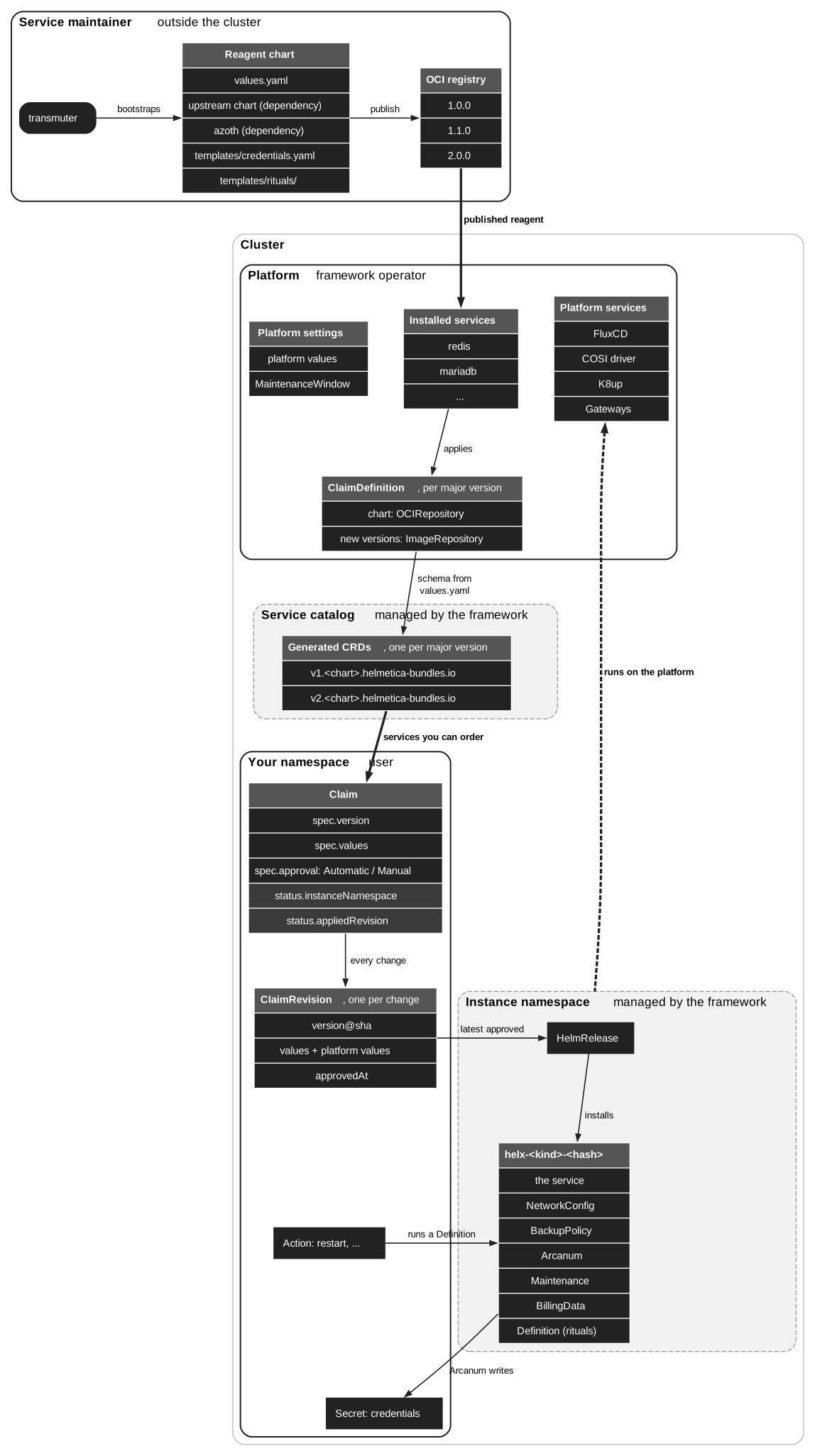
A reagent is a Helm chart.
Besides the service itself it renders small, platform-agnostic resources such as NetworkConfig or BackupPolicy, and the framework turns each of them platform and/or service specific resources such as NetworkPolicy.
Backup, network, maintenance and billing are switched on in the reagent’s values.yaml and rendered by the azoth library.
Credentials are defined in the reagent’s own templates/credentials.yaml.
| Role | Job | You work with |
|---|---|---|
Runs the framework on a cluster and provides the platform it relies on. |
Installed services, platform values, |
|
Wraps an upstream chart and publishes it as a service. |
Reagent chart, |
|
Orders and operates instances of a service. |
Claim, |
Framework operator
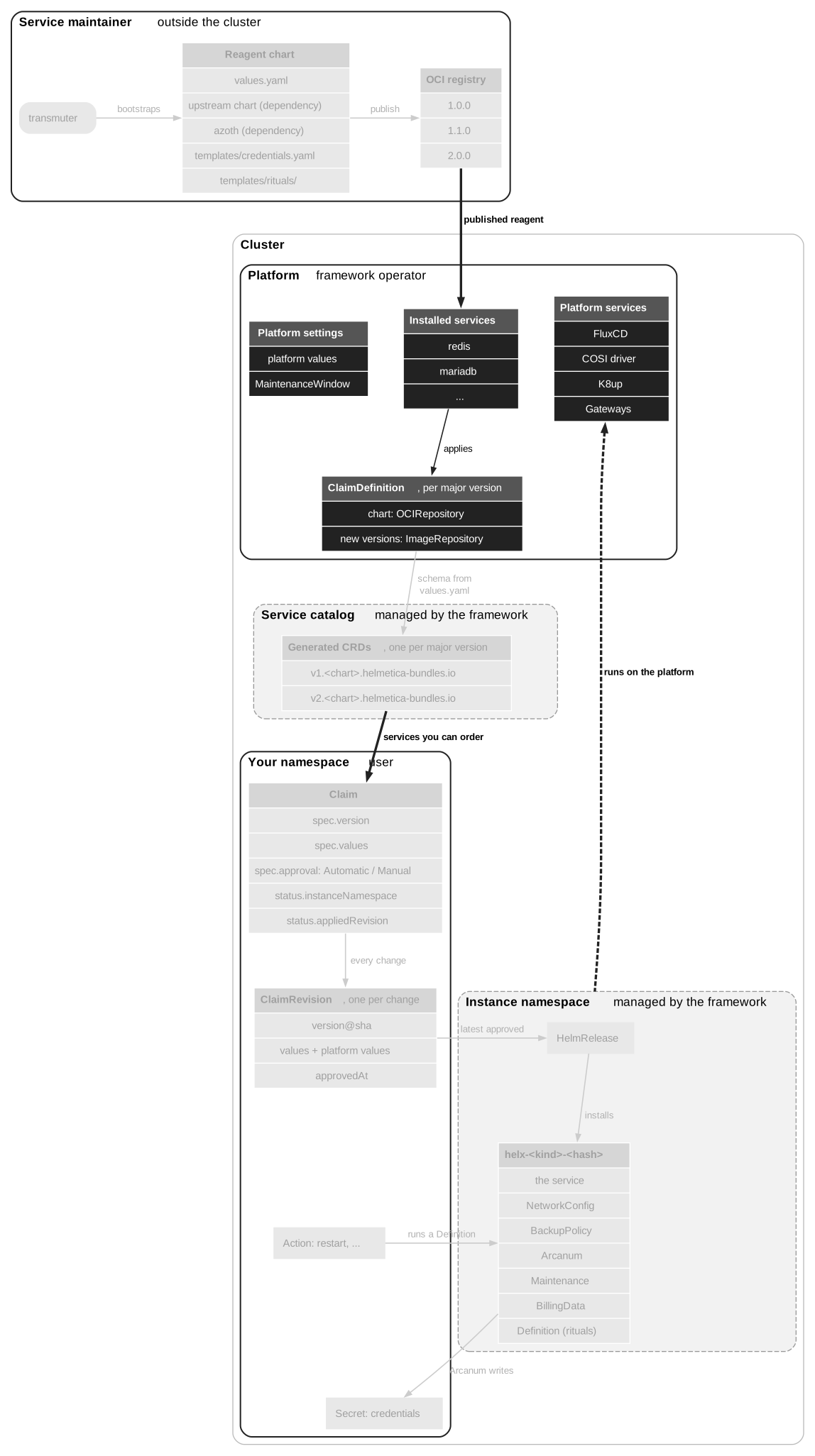
The operator keeps the framework and the platform it needs running. They don’t write charts or order services.
-
Installs the framework. Its controllers and CRDs have to be installed on the cluster. Which controllers exist and what they own is documented in each project’s repository.
-
Installs services. Installing a published reagent, for example Redis, on a cluster is what makes it orderable. The installation applies the service’s
ClaimDefinition, one per major version, together with the FluxCDOCIRepositoryandImageRepositoryit points at. These manifests ship with the reagent, so nobody writes them by hand. The framework then generates the CRD users order from. -
Provides the platform. The framework’s resources need something to be installed on, see the diagram.
-
Describes the platform. Config maps annotated with
chrysopoeia.io/platform-valuesend up underplatformin every instance’s values, so charts can adapt to the distribution or load balancer capabilities.MaintenanceWindowobjects define when maintenance may start for all instances.
Show the map for the framework operator
Service maintainer
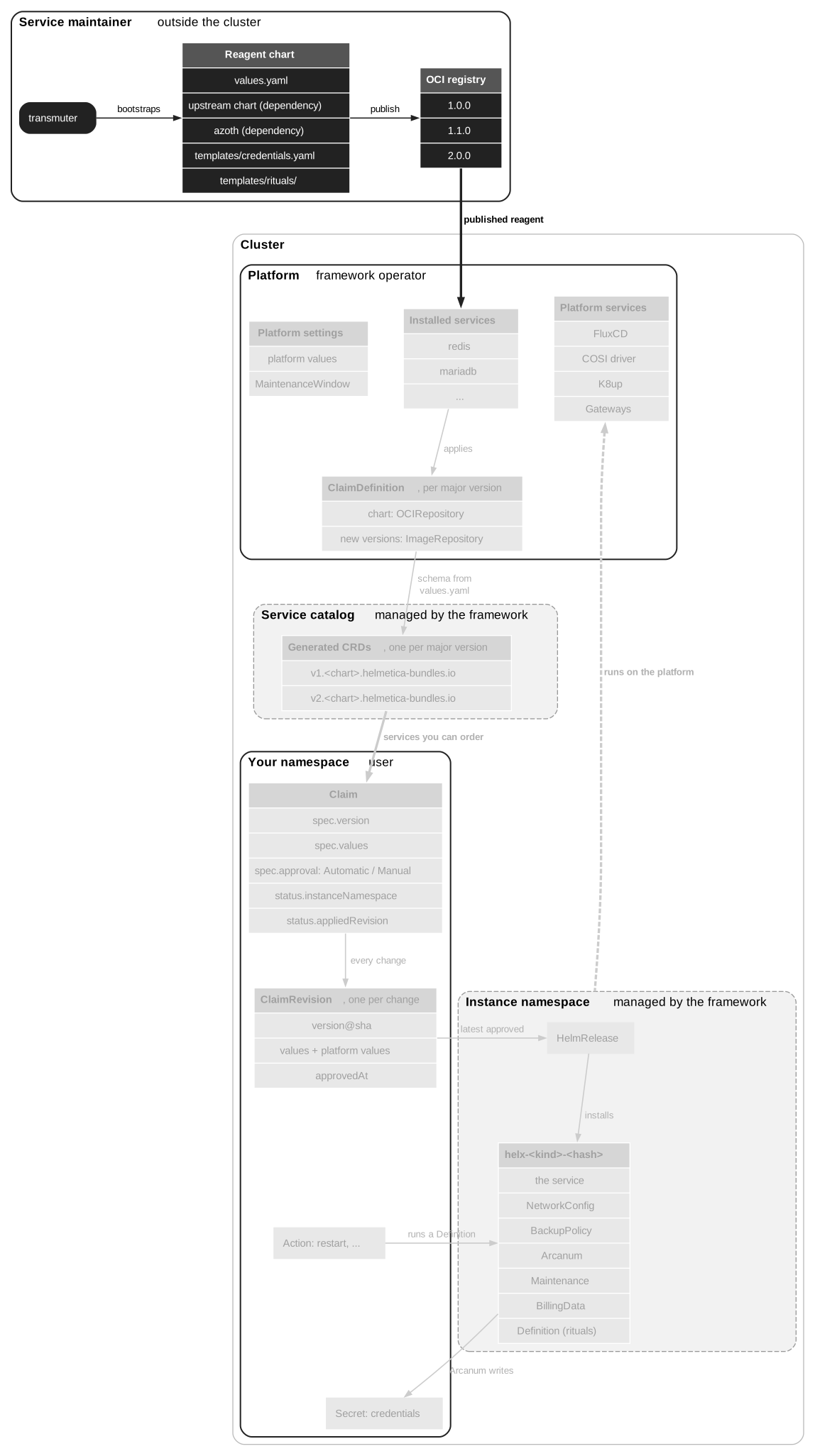
The maintainer turns an upstream chart into a service and ships it.
-
transmuter transmutescaffolds a reagent from the template (ferment) and adds the upstream chart (prima materia) as a dependency. -
Ferment brings the azoth library chart along, which renders the backup, network, maintenance, alerting, monitoring and billing resources from the reagent’s
values.yaml. Ferment also ships atemplates/credentials.yamlto fill in with the service’s connection details. -
You adjust the values, rituals and credentials, and try the reagent in athanor, a local development cluster.
-
transmuter assaychecks the chart and detects breaking CRD changes against the latest published version. Touchstone tests it end to end. -
You publish the chart to an OCI registry. That is the hand-over: from there, the operator installs the service on a cluster and the framework does the rest.
Show the map for the service maintainer
See Anatomy of a service for what goes into the reagent’s values.yaml.
User
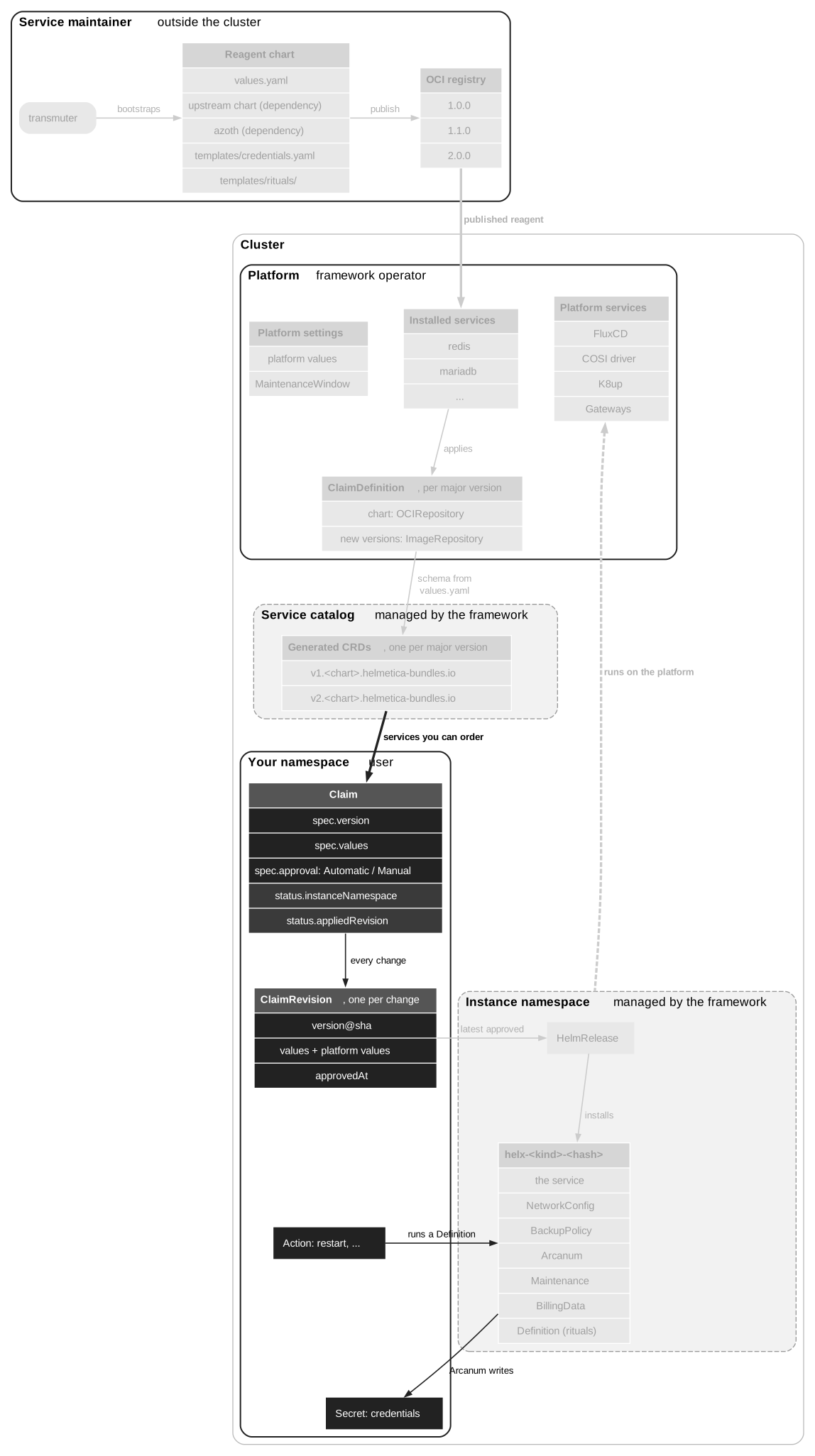
As a user you order an instance of a service and work with it, all from your own namespace. The service itself runs in a separate namespace the framework creates for you, but you never have to go there.
Show the map for the user
- Order
-
You create a claim with the configuration and the approval strategy. Setting
spec.versionpins a version. Without it, a new instance starts on the newest version the CRD allows and only moves on through auto-updates. The framework records it as aClaimRevisionnext to the claim. Once the revision is approved, it creates the instance namespace and installs the service there. The claim’sstatus.instanceNamespacetells you where. - Credentials
-
The connection details are written to a secret beside your claim. The service accepts connections from your namespace.
- Change
-
Every change to the claim creates a new revision. So does a change to the platform values, without you touching the claim. Unless the approval strategy is
Automatic, nothing is deployed until someone approves it.cupel weighshows what a change would do,cupel ledgerbrowses the history and approves. - Operate
-
To run an operation such as a restart, create an
Actionthat names your claim and the ritual. Its status shows whether it succeeded.